Troubles with Ergodox EZ Layout
Posted: 06 Jan 2018, 23:06
Hi.
I got an Ergodox EZ for Christmas, and I have been having trouble getting a good layout on it. I tried using the graphical layout editor on their website, which put the right keys (except Y and Z) and modifier buttons on it. The symbols are a mess, however. I cant figure out why or how its gone wrong. It does say that it only really supports US layout,so it obviously wont be completely identical to the Swiss layout I use. I need French and German letters for my work, and I have read that some characters require certain layouts in the OS to be recognised.
I tried reading in the QMK documentation, but I am none the wiser. I don't understand the connection between signals sent out by the keyboard and how the OS (Linux mint in my case) relate to each other.
I noticed in the Basic keycode section of the QMK docs that, for example, it associates KC 9 with 9 and "(", whereas a Swiss keyboard will produce ")" when you press Shift+9. Downloading the source of a layout on the Ergodox EZ Graphical Configurator will show a lot of these KC elements, which, I suppose, is where my difficulties with symbols comes from. Is there a way to specify for each button on each layer more specifically what the output is when it is pressed with each modifier key like AltGr or Shift?
Also, is there a way to get the graphical configurator to do this?
And why does it change my Y and Z around? It worked on my Macbook I tried it on first.
I typed this on my Ergodox, so please excuse any missing punctuation
I got an Ergodox EZ for Christmas, and I have been having trouble getting a good layout on it. I tried using the graphical layout editor on their website, which put the right keys (except Y and Z) and modifier buttons on it. The symbols are a mess, however. I cant figure out why or how its gone wrong. It does say that it only really supports US layout,so it obviously wont be completely identical to the Swiss layout I use. I need French and German letters for my work, and I have read that some characters require certain layouts in the OS to be recognised.
I tried reading in the QMK documentation, but I am none the wiser. I don't understand the connection between signals sent out by the keyboard and how the OS (Linux mint in my case) relate to each other.
I noticed in the Basic keycode section of the QMK docs that, for example, it associates KC 9 with 9 and "(", whereas a Swiss keyboard will produce ")" when you press Shift+9. Downloading the source of a layout on the Ergodox EZ Graphical Configurator will show a lot of these KC elements, which, I suppose, is where my difficulties with symbols comes from. Is there a way to specify for each button on each layer more specifically what the output is when it is pressed with each modifier key like AltGr or Shift?
Also, is there a way to get the graphical configurator to do this?
And why does it change my Y and Z around? It worked on my Macbook I tried it on first.
I typed this on my Ergodox, so please excuse any missing punctuation
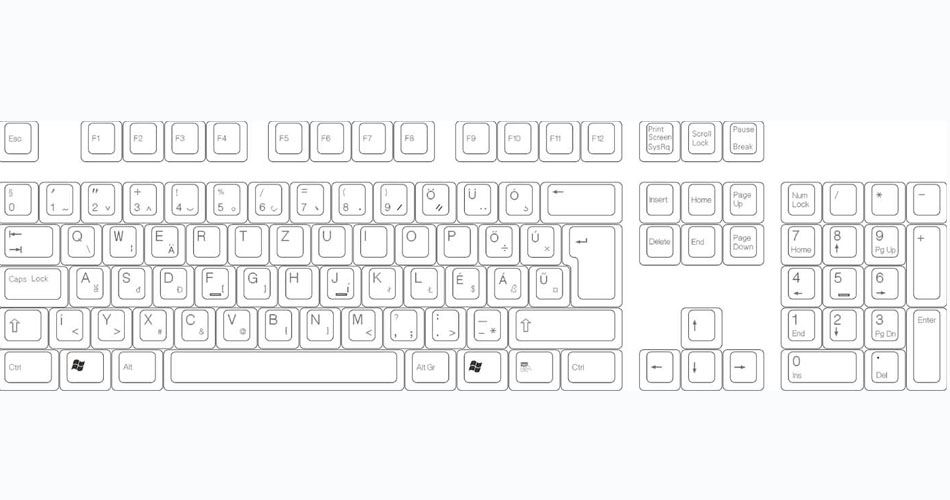

 ) Ergodox EZ, it would output á if my OS is set to the Hungarian layout, but it would output ' if my OS is set to the US English layout. Similarly, if your native layout is QWERTZ not QWERTY, on your native layout the Z and Y will be opposite of what you see in the Ergodox EZ editor.