Best XT2USB controller / converter? (2015)

Sigmoid

13 Mar 2015, 22:24

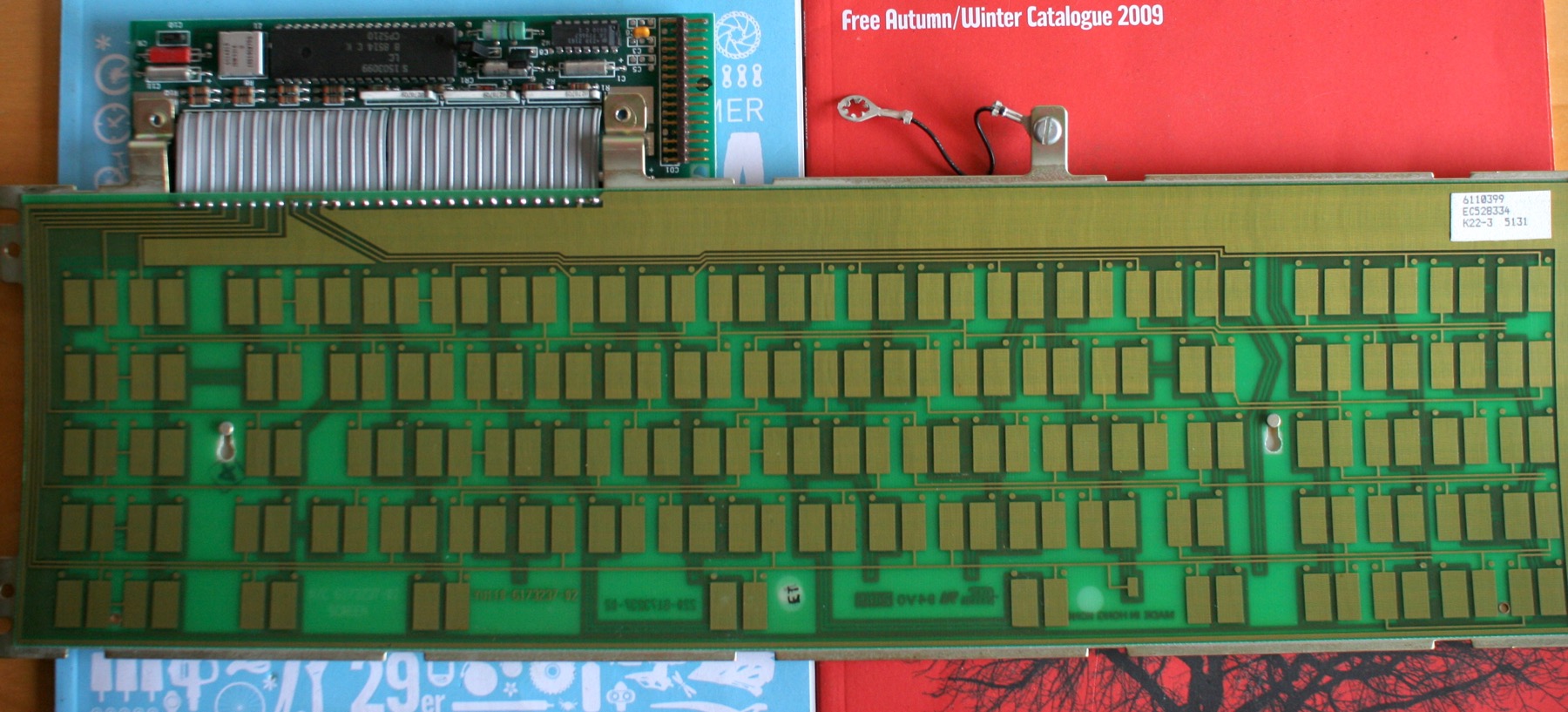
I'm planning on doing a Model F conversion as a gift for my father, who seems to be eternally dissatisfied with any and all keyboards since the early 90s. :) It seems XT keyboards are the most accessible (and least weird for a PC user). However, from what I gather on these the original controller is not removable, as it's integrated with the capacitive keypress detector, so for conversion you need an XT to USB protocol translator.

Is Soarer's converter still the best choice, or has it been supplanted by something better / more flexible since? From what I gather, the last update to that was in 2013, which could either mean that it's perfect, or that it's abandoned. ;)

JBert

13 Mar 2015, 22:38

Soarer's converter still works fine.

There has been some work going on to replace the entire PCB in the "XTant project" but I don't know if there is a layout identical to the original XT. It should be possible though...

User avatar
Muirium
µ

13 Mar 2015, 23:11

Good choice for a project. Model Fs are hardcore, oldschool premium boards. If one of these doesn't satisfy him, then nothing will!

But being from 1981, the XT has a very weird layout, here's mine:
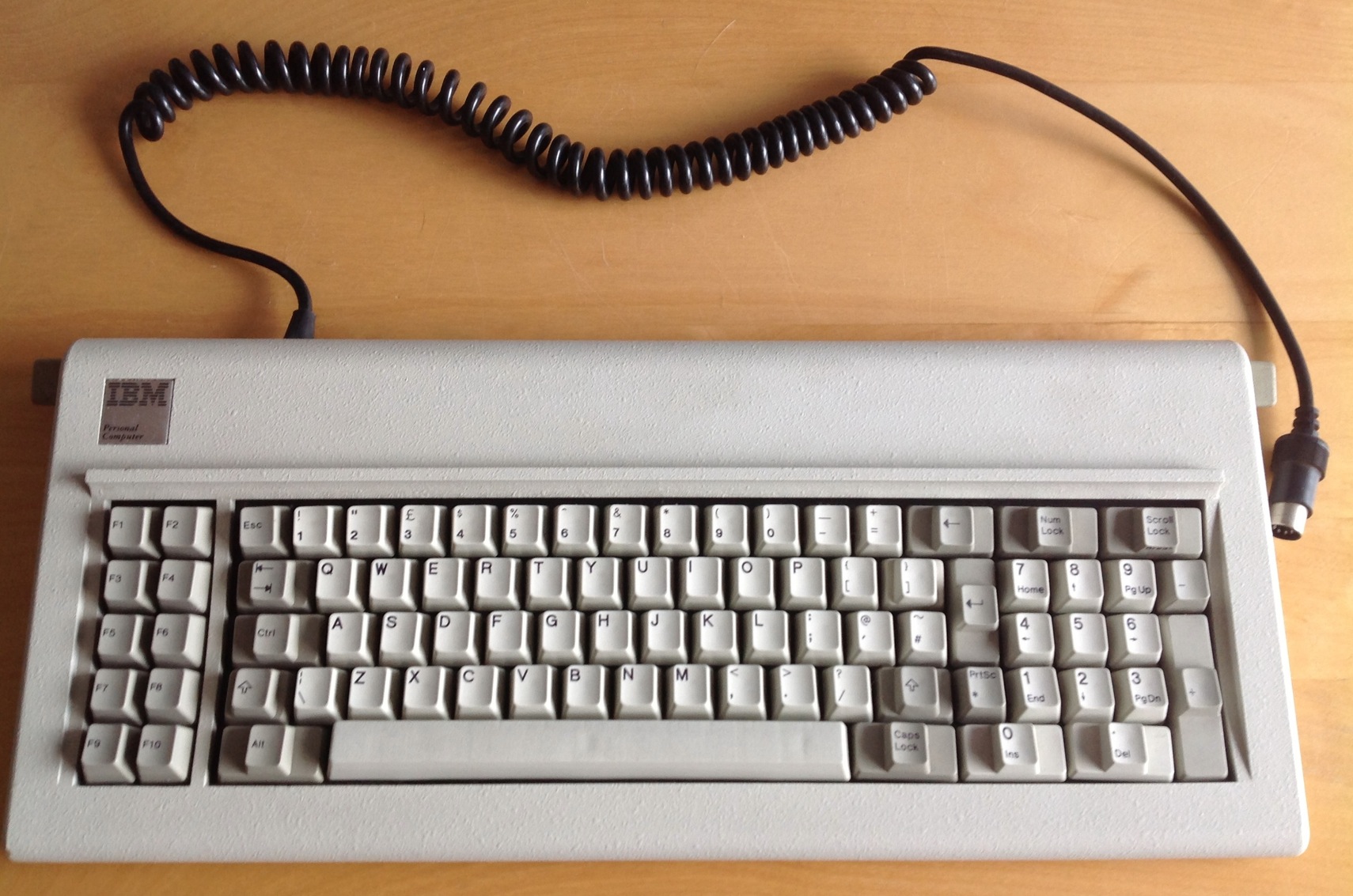
Image

Its successor (and fellow Model F) the AT has a more familiar layout:

Image

The main downside to it is that "big ass enter" key, and corresponding tiny Backspace. Fortunately, Model Fs are quite moddable. This is how I have mine setup now:
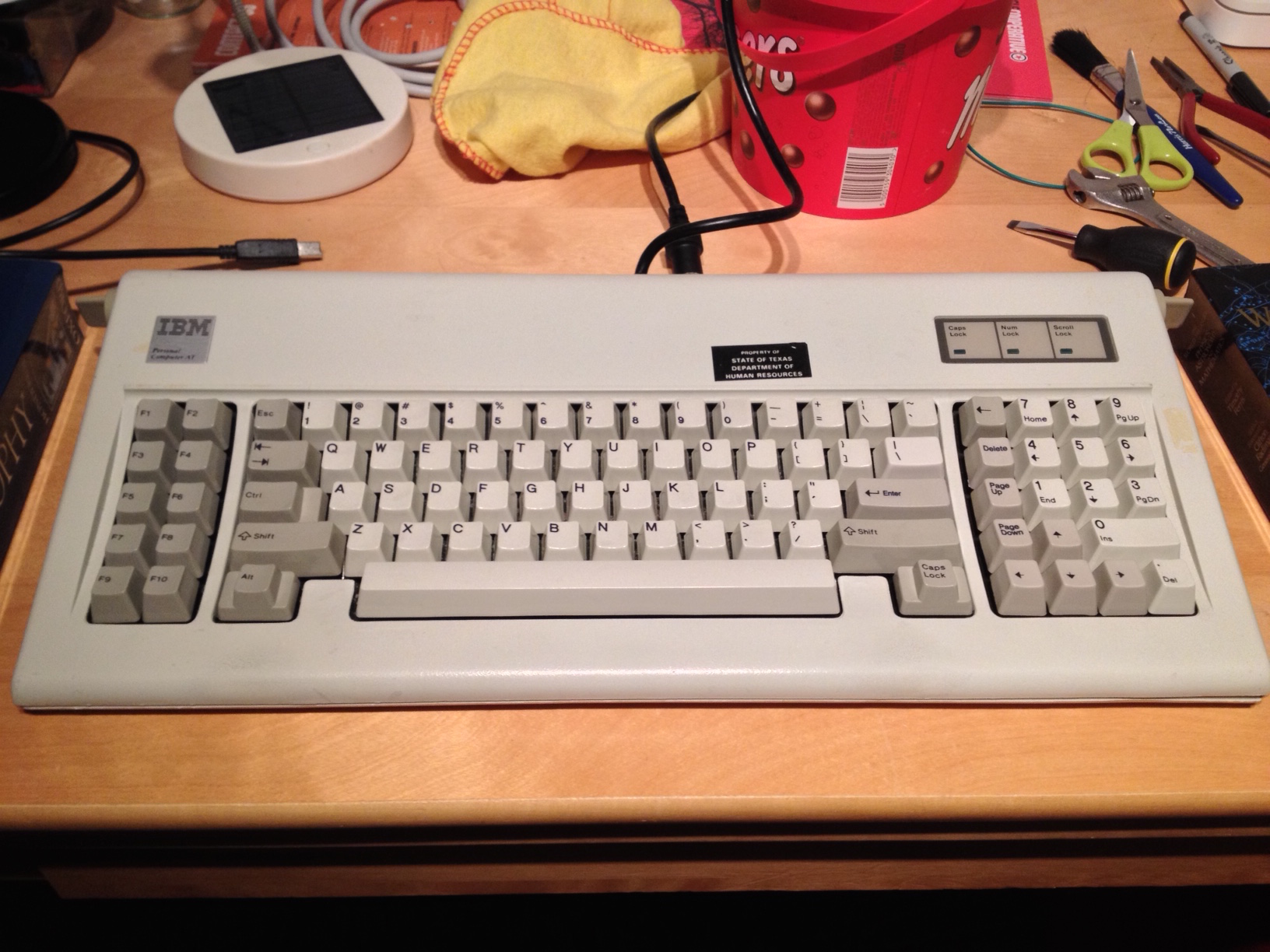
Image

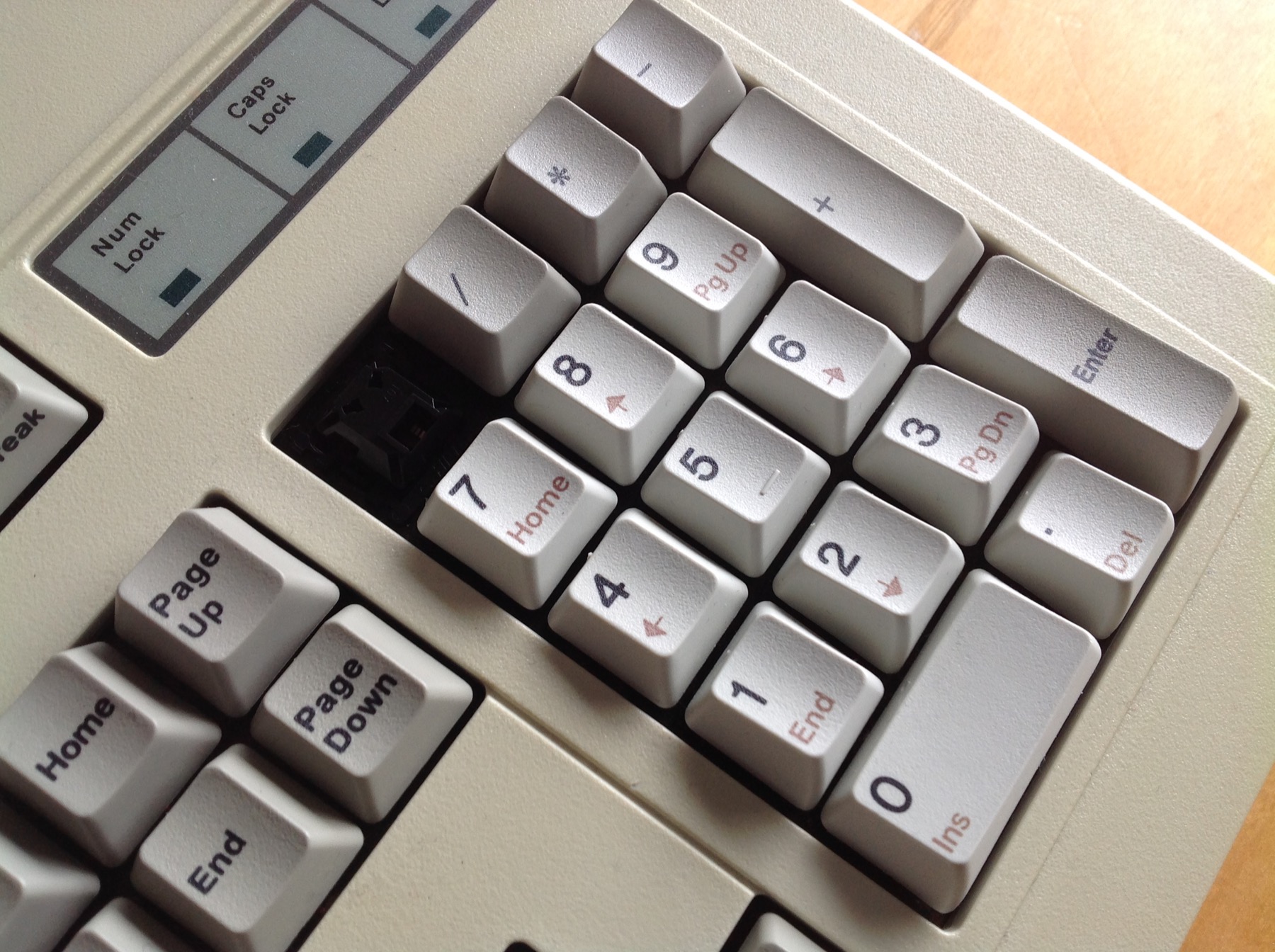
Note the arrow keys in the numpad block. And the ANSI Return key (from a Model M, the caps are compatible) instead of the native big ass. These boards are sweet! As is Soarer's Converter, which can remap them however you like.

In fact, it is essentially perfect, for what it does. I've used Soarer's converter for years, with several different keyboards, and it's proven to be bug free in my experience. That AT now has one installed inside, with a Mini USB socket up the top where the big AT cable used to go. It's a superb board. I'd go for one of those if you can. The XT will work just as well with Soarer's, but is harder to modify as its layout starts off all the more weird.

He can handle a HUGE and heavy spacebar, right? And likes a ton of noise? Those come standard on Model Fs!

Sigmoid

16 Mar 2015, 06:18

Thanks for the tips. :)

I'll keep a lookout for an AT keyboard, but those seem to be going for really hardcore prices (I guess the friendlier layout and the PS/2 compatibility drives the price up) - maybe I'll snag one at a hardware junkyard-type store though, I'll have a look around at a few of those.

In the meantime I got an XT off eBay, I'll clean it out, refit it, and if I get an AT, I'll just use it myself. ;D BTW, I'm wondering, are the keycaps interchangeable between Model M and Model F? Also, are the keycaps themselves sculpted for each row, or is the keyboard profile formed through the barrels?

What did your AT mod involve? I see you have added a key where the top part of the Enter key was... does the board have capacitive plates at each barrel position?

User avatar
idollar
i$

16 Mar 2015, 07:17

Sigmoid wrote: In the meantime I got an XT off eBay, I'll clean it out, refit it, and if I get an AT, I'll just use it myself. ;D BTW, I'm wondering, (1) are the keycaps interchangeable between Model M and Model F? Also, (2) are the keycaps themselves sculpted for each row, or is the keyboard profile formed through the barrels?

What did your AT mod involve? I see you have added a key where the top part of the Enter key was... (3) does the board have capacitive plates at each barrel position?
(1) Yes, (2) no & (3) yes

User avatar
fohat
Elder Messenger

16 Mar 2015, 14:01

Sigmoid wrote:
What did your AT mod involve? I see you have added a key where the top part of the Enter key was... does the board have capacitive plates at each barrel position?
It is all trivial except for putting it back together!

These photos show the F-122, but the idea is the same.

Be careful with the case, unscrew the back and carefully and gently open the front like a book.
Attachments
F-122-B01-before-front-plate-ISO-001.jpg
F-122-B01-before-front-plate-ISO-001.jpg (219.66 KiB) Viewed 3308 times
F-122-A04-before-close-ISO-004.jpg
F-122-A04-before-close-ISO-004.jpg (232.98 KiB) Viewed 3308 times

User avatar
Muirium
µ

16 Mar 2015, 14:19

Yup. Model Fs are awesome for mods! And awesome for feel, too.

You'll need the right caps for your new layout, of course. The arrow keys on mine are from a Model M set. You're better off with original IBM caps (harvested from other boards, especially cheap 122 key Model Ms) than going for new caps from Unicomp because the original legends are sharper and deeper so look better across the board. Unicomp's blanks are most useful though!

This is what the inside is like:

Image
http://deskthority.net/workshop-f7/open ... ml#p209092

All those pads are available: even the hidden ones either side of the massive spacebar. I don't know if the XT also has those, but to use them I'd need to drill and I decided to keep things simple for now.

But BEWARE the spacebar! ATs and XTs have this annoying way of attaching it that means you can snap things unless you take the whole board apart *before* removing the spacebar from behind. Reinstalling it is annoying too, and requires a bit of floss to do the trick; I tied many times before I learned that one! The details are in my thread. Feel free to ask us lot whenever you're in doubt. XT's demand respect!

Sigmoid

16 Mar 2015, 15:13

Great, thanks for all the info! :) Yea I've read about the spacebar having to be detached / re-attached from the backside. :)

I'll make sure to ask everything I'm unsure about. BTW, how about replacement foam sheet? That foam stuff they use in electronics usually liquefies over the years. McMaster has various silicone foam sheets, has anyone tried those? How firm / thick should the foam be, and what is the exact size of the panel?

Another thing about the electronics side... So I see there are lots of pads, but are there XT scan codes for those? How does the XT keyboard protocol describe keypresses?

User avatar
Muirium
µ

16 Mar 2015, 15:15

Here's a thread:

http://deskthority.net/keyboards-f2/rep ... ent%20foam

I don't remember the outcome. I think Hyper tried a few of theirs and it was a bit Goldilocks… if you can keep your foam in place, do so. Model Fs aren't actually that picky about it looking perfect.

As for signals, every pad does indeed have its own scancode. Some of them are quite strange! As you'd expect, because they were hidden. I don't know how you'd handle them with an AT plugged straight into a PS/2 port. I do everything over USB via a Teensy.

Here's my config file for the Soarer's Converter that's running inside this AT:

Code: Select all

#	Specifically for the rejiggered IBM AT
#	Keyboard ID: 0000
#	Code Set: 2
#	Mode: AT/PS2

ifkeyboard 0000
ifset set2
layerblock
	fn1				1
	fn2				2
endblock

ifkeyboard 0000
ifset set2
remapblock
layer 0

	back_quote		esc
	lalt			lgui
	f9				lctrl
	f10				lalt
	backspace		back_quote
	extra_backslash	backspace
	caps_lock		fn1					# For HHKB layer 1
	esc				fn2					# For media layer 2
	pad_7			delete
	pad_4			page_up
	pad_1			page_down
	pad_2			up
	extra_insert	left
	pad_0			down
	pad_period		right
	pad_5			pad_1
	pad_6			pad_2
	pad_minus		pad_3
	pad_8			pad_4
	pad_9			pad_5
	pad_asterix		pad_6
	num_lock		pad_7
	scroll_lock		pad_8
	extra_sysrq		pad_9
	pad_plus		pad_0
	f11				pad_enter

endblock

ifkeyboard 0000
ifset set2
remapblock
layer 1

	#	Note: all layers are based on original input, no stacking!
	#	They happen earlier in the logic than macros.
	
	#	Numpad Navigation Block
	pad_5 			end
	pad_6 			down
	pad_minus 		page_down
	pad_8 			left
	pad_9 			down
	pad_asterix 	right
	num_lock 		home
	scroll_lock		up
	extra_sysrq		page_up

	# 	HHKB function layer
	left_brace 		up
	semicolon 		left
	slash 			down
	quote 			right
	l 				page_up
	period 			page_down
	k 				home
	comma 			end
	h 				pad_asterix
	j 				pad_slash
	n				pad_plus
	m				pad_minus
	i				printscreen			# These are actually brightness controls
	o				scroll_lock
	p				pause
	a				media_volume_down
	s				media_volume_up
	d				media_mute
#	f				media_eject			# No media eject in Soarer's
	esc				system_power
	1				f1
	2				f2
	3				f3
	4				f4
	5				f5
	6				f6
	7				f7
	8				f8
	9				f9
	0				f10
	minus			f11
	equal			f12
	backslash		insert				# These two useful?
	backspace		delete
	enter			pad_enter
	extra_backslash	delete				# The HHKB's missing Backspace / Delete mirror
	tab				caps_lock			# Just in case I ever get used to that
	
	#	Bonus (nearly) corner Enter key(s)
	pad_plus		pad_enter
	f11				pad_enter
	
endblock


ifkeyboard 0000
ifset set2
remapblock
layer 2

	# 	Media keys across the number row	
	1				F13					# Decrease Display Brightness 
	2				F14					# Increase Display Brightness
	3				F10					# Exposé: All App Windows
	4				F12					# Dashboard
	5				F11					# Exposé: Show Desktop
	6				F9					# Exposé: All Windows in All Apps
	7				MEDIA_PREV_TRACK	# iTunes / media playback controls
	8				MEDIA_PLAY_PAUSE
	9				MEDIA_NEXT_TRACK
	0				MEDIA_MUTE			# Volume controls
	MINUS			MEDIA_VOLUME_DOWN
	EQUAL			MEDIA_VOLUME_UP
	backspace		EUROPE_2			# This § symbol - which is now missing from layer 0
	BACK_QUOTE		EUROPE_2			# In both places I might look for it

endblock


ifkeyboard 0000
ifset set2
macroblock
	#	Note: unlike layers, macros do in fact take remapped key names

	#	Command + Esc = Command + Backtick (for next window)
	#	Minus the Option key so I can still Force Quit
	macro esc lgui -lalt
	press back_quote
	endmacro

	# 	Soarer's Double Shift Caps Lock
	macro lshift rshift
	press caps_lock
	endmacro
	macro rshift lshift
	press caps_lock
	endmacro	

endblock
There's a lot in there! Feel free to ask about anything that interests and confuses you. I've been using Soarer's for several years. The XT is probably quite similar. In fact I should post my XT's version!

User avatar
Muirium
µ

16 Mar 2015, 15:22

Here we go. This is my XT's software layout. Physically it's 100% stock, unlike my AT. But I use it with OS X so there's lots of customisation!

Code: Select all

###				XT
###				For the original IBM PC/XT Model F

ifset set1
layerblock
	fn1 		1
	fn2 		1		# One for each hand, where available
	fn1 fn2		2		# Press them both for a hard to reach second layer
endblock

# Base layer remaps time
# need to map the FN key into the base layer (0)
remapblock
# Just for the PC/XT keyboard
ifset set1
layer 0
	LCTRL		FN1					# The all important function key
	PAD_ASTERIX FN2					# And the second one: currently the same
	PAD_PLUS 	PAD_ENTER			# Puts an enter at the far right edge
	LALT 		LGUI				# Command!
	CAPS_LOCK 	RGUI				# And again
	PAD_0 		RALT				# Option spills over onto the numpad
	PAD_PERIOD	RCTRL				# Control does too
	F9 			LCTRL				# Mirror image for left and function keys
	F10			LALT				# Completing the 6 mod set
	NUM_LOCK	F13					# Brightness Controls
	SCROLL_LOCK F14					# 
	PAD_1 		END					# Hijack the numpad for cursor controls
	PAD_2 		DOWN
	PAD_3 		PAGE_DOWN
	PAD_4 		LEFT
	PAD_5 		DOWN				# Impure, but practical when I forget
	PAD_6 		RIGHT
	PAD_7 		HOME
	PAD_8 		UP
	PAD_9 		PAGE_UP
	BACKSLASH	BACK_QUOTE			# ISO backtick (moved from XT's lefty snug shift style)
	BACK_QUOTE	BACKSLASH			# ISO backslash (which is split in two places on the XT natively)
	
# 	Hijack the f-keys for media controls
	F1 			F13					# Brightness
	F2 			F14
	F3 			MEDIA_VOLUME_DOWN	# Volume
	F4 			MEDIA_VOLUME_UP
	F5			F10					# MEDIA_PREV_TRACK	# Playback
	F6			F9					# MEDIA_NEXT_TRACK
	F7 			F11					# Exposé
	F8 			F12
endblock


# Primary Function Layer: HHKB + ESDF Arrows
# the layer itself is just some remaps tagged with the layer number
remapblock
# Just for the PC/XT keyboard
ifset set1
layer 1
# 	HHKB Arrows
	LEFT_BRACE 	UP
	SEMICOLON 	LEFT
	SLASH 		DOWN
	QUOTE 		RIGHT
	L 			PAGE_UP
	PERIOD 		PAGE_DOWN
	K 			HOME
	COMMA 		END
	H 			PAD_ASTERIX
	J 			PAD_SLASH
	N			PAD_PLUS
	M			PAD_MINUS
	
# 	ESDF Arrows	
	E			UP
	S			LEFT
	D			DOWN
	F			RIGHT
	R			PAGE_UP
	V			PAGE_DOWN
	A			HOME
	G			END
	
# 	Restore the Numpad	
	PAD_1		PAD_1
	PAD_2		PAD_2
	PAD_3		PAD_3
	PAD_4		PAD_4
	PAD_5		PAD_5
	PAD_6		PAD_6
	PAD_7		PAD_7
	PAD_8		PAD_8
	PAD_9		PAD_9
	PAD_PLUS	PAD_PLUS
	PAD_PERIOD	PAD_PERIOD
	PAD_0		PAD_0
	
# 	Restore the Function Keys	
	F1			F1
	F2			F2
	F3			F3
	F4			F4
	F5			F5
	F6			F6
	F7			F7
	F8			F8
	F9			F9
	F10			F10
	
# 	Media keys across the number row	
	1			F13					# Decrease Display Brightness 
	2			F14					# Increase Display Brightness
	3			F10					# Exposé: All App Windows
	4			F12					# Dashboard
	5			F11					# Exposé: Show Desktop
	6			F9					# Exposé: All Windows in All Apps
	7			MEDIA_PREV_TRACK	# iTunes / media playback controls
	8			MEDIA_PLAY_PAUSE
	9			MEDIA_NEXT_TRACK
	0			MEDIA_MUTE			# Volume controls
	MINUS		MEDIA_VOLUME_DOWN
	EQUAL		MEDIA_VOLUME_UP
	BACKSPACE	DELETE				# Delete for Backspace
	LCTRL		CAPS_LOCK			# Capslock lives, out of harm's way
	ENTER		PAD_ENTER			# Enter for Return
	ESC			EUROPE_2			# This § symbol - which is now missing from layer 0
	BACK_QUOTE	EUROPE_2			# In both places I might look for it
endblock


# Secondry Function Layer: Live mods with number row function row
ifset set1
remapblock
layer 2
# 	Live Mod Function Row			# Leave those mods alone
	1			F1
	2			F2
	3			F3
	4			F4
	5			F5
	6			F6
	7			F7
	8			F8
	9			F9
	0			F10
	MINUS		F11
	EQUAL		F12
endblock


# Just for the PC/XT keyboard
ifset set1
macroblock

# Let the going get weird
# Match the PC/XT's unusual legends

# Or then again maybe not!

#	# Shift 2 = "
#	macro 2 shift -ctrl -alt -gui
#	press QUOTE
#	endmacro
#	
#	# Shift ' = @
#	macro QUOTE shift -ctrl -alt -gui
#	push_meta set_meta lshift
#	press 2
#	pop_meta
#	endmacro
#	
#	# Shift 3 = £
#	macro 3 shift -alt
#	push_meta set_meta ralt
#	push_meta clear_meta shift
#	press 3
#	pop_meta
#	pop_meta
#	endmacro
#	
#	# Option 3 = #
#	macro 3 alt -shift
#	push_meta set_meta rshift
#	push_meta clear_meta alt
#	press 3
#	pop_meta
#	pop_meta
#	endmacro
#	
#	# Shift Option + # = ±
#	# Corresponding with § remap, this time with shift
#	macro BACK_QUOTE shift alt -gui -ctrl
#	push_meta set_meta rshift
#	press EUROPE_2
#	pop_meta
#	endmacro
#
#	# ` = #
#	macro BACK_QUOTE -all
#	push_meta set_meta rshift
#	press 3
#	pop_meta
#	endmacro


	# These are definitely useful macros, though.
		
	# Command + Escape = Command + ~ (for app window cycling, in ANSI software layout)
	macro ESC gui -alt			# Let Command + Option + Esc through, but Shift (and Control?) is fine
	press BACK_QUOTE
	endmacro

#	Swapped over to using USB TKL friendly F13 for inverse colours	
#	# Num Lock = Ctrl + Cmd + Opt + 8 (Negative / night colours mode)  
#	macro num_lock -shift  
#	push_meta set_meta rgui ralt rctrl  
#	press 8  
#	pop_meta  
#	endmacro  
	
#	Ditto. Now using native Shift + F13	for Isolator, too.
#	# Shift + Num Lock = Ctrl + Cmd + Opt + I (Isolator darkness mode)  
#	macro num_lock shift  
#	push_meta set_meta rgui ralt rctrl  
#	push_meta clear_meta lshift rshift  
#	press I  
#	pop_meta  
#	pop_meta  
#	endmacro  
	
	# Soarer's Double Shift Caps Lock
	macro lshift rshift
	press caps_lock
	endmacro
	
	macro rshift lshift
	press caps_lock
	endmacro
	
	# Quick Ctrl+F-keys for menu navigation
 	# Ctrl 2 = Ctrl + F2 = Enter main app menu
 	macro 2 ctrl -alt -gui -shift
 	press f2
 	endmacro

 	# Ctrl 8 = Ctrl + F8 = Enter system menus
	macro 8 ctrl -alt -gui -shift
 	press f8
 	endmacro
 	
 	# Invert Colour mode for Shift F13 negative trigger
 	macro NUM_LOCK -shift
 	push_meta set_meta rshift
 	press f13
 	pop_meta
 	endmacro
 	
 	# Isolator mode for Shift F13 negative trigger
 	macro NUM_LOCK shift
 	press f14
 	pop_meta
 	endmacro

endblock

Sigmoid

16 Mar 2015, 19:05

Thanks :)

By the way... if ordering stuff from Unicomp, which color option is closest to the Model F gray keys? Pebble or Gray?

User avatar
Muirium
µ

16 Mar 2015, 22:10

Pebble, I think. But it's not a perfect match. My AT has a Unicomp Return key on it in this (not so great) picture:

Image

I need to shoot a better one in natural light. Anyway, it's a bit too creamy. While the various IBM originals, from many years apart, are much closer. Far as I remember, grey is a colour for their modern boards and doesn't go at all.

If you're in Europe, I'm running a little Unicomp GB soon as I'm over there in April. International shipping and customs makes them costly over here, usually…

User avatar
fohat
Elder Messenger

16 Mar 2015, 22:32

Sigmoid wrote:
from Unicomp, which color option is closest to the Model F gray keys? Pebble or Gray?
IBM colors are pearl and pebble. Unicomp gray is a very cool gray, as noted, almost bluish.

If you are in the US, clickykeyboards is another option and they sell vintage keys harvested from old keyboards.

And, if you order the numpad with secondary legends, clickykeyboards will ask whether you want the secondary legends in light or dark gray, light or dark brown, or black.

User avatar
Muirium
µ

16 Mar 2015, 22:35

(The brown ones look quite nice.)

User avatar
fohat
Elder Messenger

16 Mar 2015, 22:43

Muirium wrote: (The brown ones look quite nice.)
I have always wondered why keyboards in brown color schemes are not popular, considering how many people use wooden desks.

I would love to have a nice subtle brown theme, call it "coffee and cream" or whatever, but, unfortunately, whenever I have tried to dye IBM PBT the results were never good.

User avatar
chzel

16 Mar 2015, 22:47


User avatar
Muirium
µ

16 Mar 2015, 22:49

Brown is one of the things about the 70s I'd like to see return. (And I was just a few months old when the 80s came around, so it's not nostalgia!) Sphericals, doubleshots, browns and yellows and sleek modernist architecture: oh my!

The brown I meant was the secondary legends on the numpad. They look luxurious on my NMB:

Image

And I don't even like numpads!

User avatar
fohat
Elder Messenger

17 Mar 2015, 02:59

chzel wrote: There you go!
Ppfffftt !

The "beige" is almost white and the sienna is ugly.

Brown can be deep and rich, but that isn't.

Besides, it is just ABS MX garbage.

Post Reply

Return to “Keyboards”